
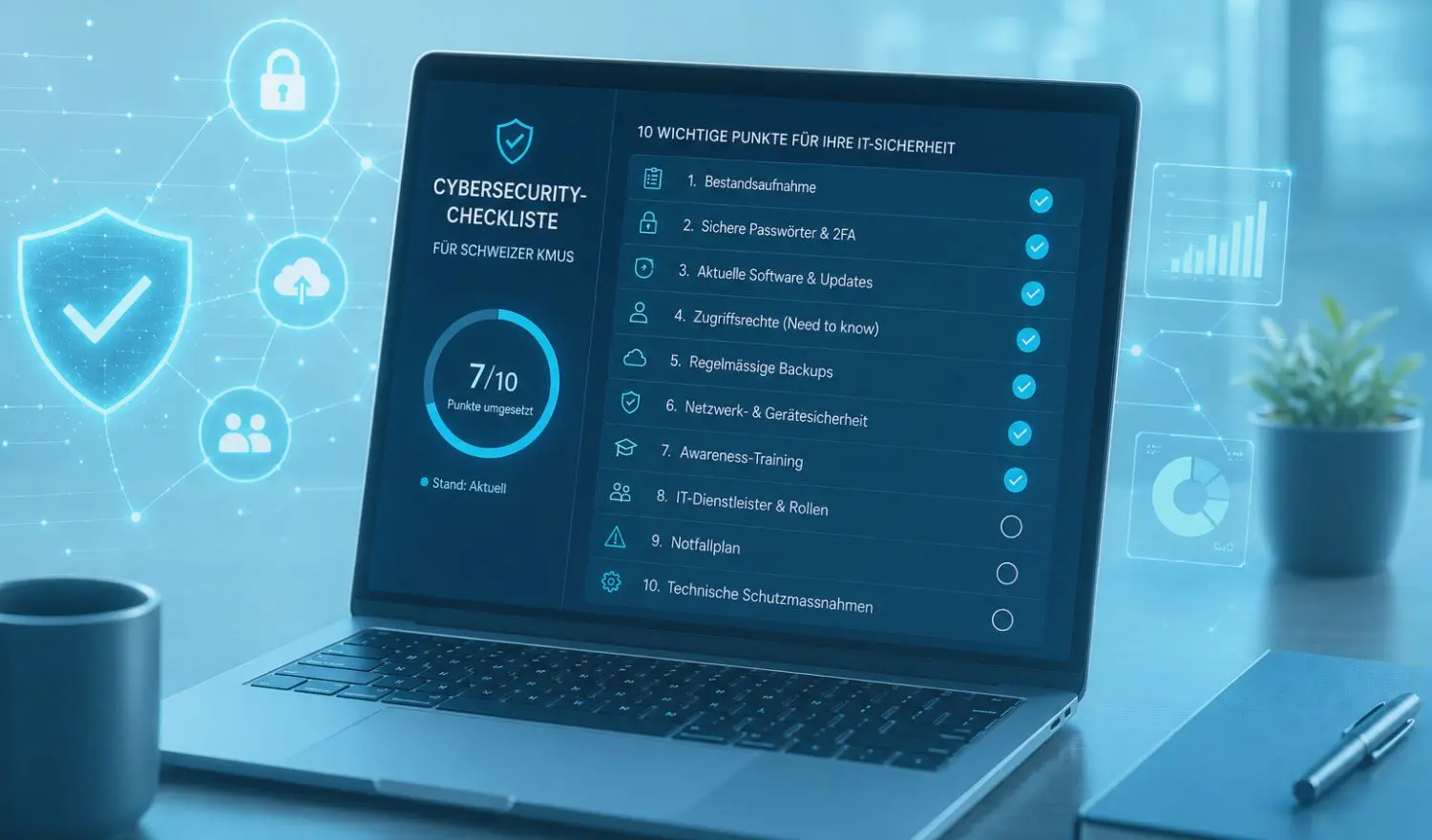

Many Swiss SMEs consider themselves too small to be a real target for cyberattacks. Yet it is precisely this assumption that makes them vulnerable. In practice, the ones hit by ransomware, social engineering or data theft every day are not banks or large corporations, but companies with 10 to 200 employees, unsecured access points and IT environments that have grown organically without a security concept.
IT security is not a question of company size, but of clarity. If you know which risks exist and which measures work, you reduce your attack surface significantly. This checklist offers a structured starting point and helps you assess your existing safeguards realistically and improve them in a targeted way.
Why SMEs in Switzerland are particularly at risk
Many smaller companies rely on a single IT provider, overstretched internal staff or outdated standard solutions. This keeps operations running, but rarely delivers security. Typical examples include:
- Outdated operating systems that are no longer patched
- Unclear responsibilities, e.g. for access rights or updates
- Missing backups or restore tests, even though data is business-critical
- No employee awareness of phishing, password security or data sharing
At the same time, many companies assume that being based in Switzerland automatically means greater security. But attackers do not discriminate by geography. If you use Microsoft 365, Dropbox, web shops or remote access, you are just as vulnerable as any company abroad.
What is more, cyber insurers now often require proof of basic technical and organisational safeguards. If you neglect this, you will be left on your own in an emergency, and not only financially.
The 10 most important points of a cyber security checklist for SMEs
Effective cyber security starts not with tools, but with transparency. What do you have? What is critical? What is vulnerable? These 10 points help you identify and address key risks:
- Asset inventory: what do you actually have?
- Overview of devices, software, networks, cloud services and domains
- Documentation in a simple, easy-to-follow form - Strong passwords and two-factor authentication (2FA)
- No shared passwords
- 2FA mandatory for email, cloud, remote logins and admin access - Up-to-date software and operating systems
- Updates automated, documented and monitored
- No outdated Windows versions, no unmaintained web servers - Access rights based on the "need to know" principle
- Employees only have access to what they need
- Role-based permissions instead of full access for everyone - Regular, automated backups
- Stored both locally and off-site
- Restoration tested regularly - Network and device security
- Firewall, VPN, segmented Wi-Fi (e.g. for guests), device management
- Security profiles on company phones and laptops - Awareness training for all employees
- Recognising phishing emails, handling sensitive data
- Clearly communicated reporting channels for incidents - IT service provider with clearly defined roles
- Who does what? Who has access? Which services are documented?
- Contracts with SLAs, no unlimited admin rights for external providers - Emergency plan for security incidents
- Who is informed? Which systems are checked?
- Templates for communicating with customers, partners and authorities - Technical safeguards, tailored to your company
- Antivirus, EDR, DNS filters, email gateways, etc.
- Selected according to risk, not according to the product brochure
The checklist does not replace a detailed security concept, but it exposes key weaknesses and identifies concrete areas for action. The aim is not perfectionism, but realistic security with a sense of proportion.
How to implement the checklist without feeling overwhelmed
Smaller companies in particular shy away from opening up "yet another front". Cyber security sounds like a lot of technology, lengthy projects and high costs. In practice, though, targeted steps can achieve a great deal, even without a complete overhaul.
- Prioritise pragmatically:
Start with what delivers quick results, e.g. password management, 2FA and a sound backup structure. You can often achieve noticeable improvements here within a few days. - Use the resources you already have:
Many technical protection features are already included in tools you use anyway, such as Microsoft 365 or your firewall vendor's products. What matters is that they are configured and monitored. - Actively involve your employees:
Security is not just an IT issue. Employees who understand why certain rules exist are more likely to follow them and to report suspicious activity early. - Bring in external support where it counts:
Not everything has to be solved in-house. For specific topics such as patch management, backup configuration or awareness training, external help can make sense without outsourcing entire systems.
Cyber security is not a project with an end date, but it can be implemented in stages. What matters is that you get started. After all, much of the damage is caused not by sophisticated high-tech attacks, but by basic safeguards that were never put to use.
How to make sensible use of external support
Not every measure on the checklist has to be handled in-house, and not every SME has its own IT resources. In many cases, targeted support makes sense: for example, when setting up backups, drawing up a simple access concept or delivering IT security training.
The key point is that external help should not create dependency, but complement your existing structures in a targeted way. For fundamental topics such as patch management, access management or awareness training in particular, pragmatic collaboration can achieve a lot without giving up control.
At n'guard, we are happy to support your SME on a targeted and independent basis: securing individual vulnerabilities, running awareness formats or implementing individual points of this checklist in a structured way. Always with the aim of strengthening your existing structures, not replacing them.